Plan carton sizes with master data: less empty space under the PPWR
How to turn item dimensions into a small, well-fitting carton range
Request a demoThe EU Packaging and Packaging Waste Regulation (PPWR) will limit the empty space in grouped packaging, transport packaging and e-commerce packaging to at most 50 %, from 2030 at the earliest. That turns carton size into a planning task: which sizes do you stock, and which item goes into which carton?
What the regulation sets out, how the empty space ratio is calculated and a calculator are on the page PPWR empty space. This page covers the next step: how to plan a carton range from your master data.
Why carton sizes are a planning task
A carton that is too large creates empty space, one that is too tight does not fit or damages the goods. In between sits the question of how many sizes you stock at all.
- Too few sizes: Many items end up in a carton that is much larger than necessary.
- Too many sizes: Storage, purchasing and the packing station get more complex, and the choice at packing becomes confusing.
- The right amount: It depends on your product range and your orders. There is no universal number. You find it by calculating.
How to plan your carton range in five steps
- Measure the range: Capture length, width, height and weight of every item as it is packed ready to ship. Measured values are more reliable than manufacturer data and old master data.
- Find clusters: Sort the items by their dimensions. Groups of similarly sized items usually emerge, such as flat, cube-shaped and long ones. Each group is a candidate for a carton size.
- Choose a few sizes: For each group, choose the smallest carton that takes the largest items of the group. Calculate the empty space ratio of every item in that size. As a guide, aim for at most 50 % per shipment. Move the group boundaries until that is reached and the range stays manageable.
- Check orders with several items: For orders with several items, you add up their volumes. Use real order profiles to check which combinations occur often and whether the range has a suitable size for them.
- Review regularly: When your range changes, so do the clusters. Measure new items as soon as they arrive in the warehouse and review the carton range at fixed intervals.
Take the result as guidance for choosing cartons, not as proof. This applies all the more to irregular items and fragile goods.
Which data you need
- Item dimensions as packed: length, width and height of every item in the form in which it goes into the carton.
- Weight: It shows whether a carton can carry the load and which items can be packed together.
- Carton dimensions: the dimensions of every size you stock or want to stock.
- Order profiles: how many items an order typically has and which items are ordered together. They come from your WMS or shop system.
If a single value is missing for an item, neither its empty space nor that of an order containing it can be calculated. That is why capture comes before planning.
Measure first, then plan
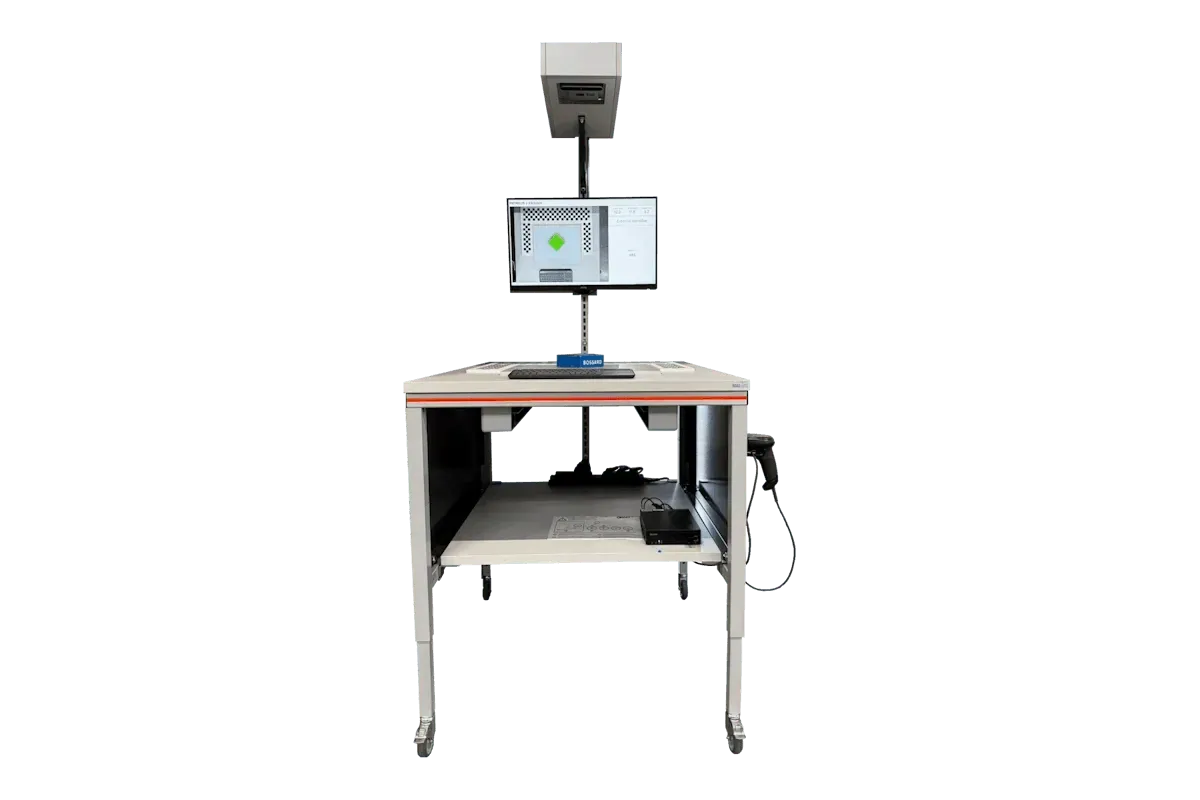
With the MetriXFreight S140 you capture length, width, height, weight and a photo of every item in a single step, with less than 5 mm mean deviation. The same station also measures your cartons. So you have item and carton dimensions from one source, up to 750 objects per hour including the scan, depending on handling. How to organize capture for a whole range is explained on the page Automate master data capture.
The dimensions go to your WMS or packing software. There they are the basis for suggesting the smallest suitable carton at packing.
The S140 gives you the data. The planning, and the responsibility for the empty space, stay with you as the one who fills the packaging.
PPWR checklist for shipping
These steps help you prepare. They are not legal advice and guarantee nothing. Which obligations and exemptions apply to you is explained on the page PPWR empty space.
- Decide who in your company is responsible for packaging and master data.
- Capture dimensions and weight of all items as they go into the carton.
- Capture the dimensions of all carton sizes you stock.
- Calculate the empty space ratio for every item and for the most common orders with several items, for example with the calculator on the PPWR empty space page.
- Group your range and reduce the carton range to a few suitable sizes.
- Make sure your WMS or packing software suggests the smallest suitable carton.
- Measure samples of packed parcels in shipping, for example with the L13x, and compare them with your plan. In MetriXOne, all measurements of your systems sit in one place, with photos.
- Repeat the planning when your range or order profiles change significantly.
Frequently asked questions on carton planning
How many carton sizes do I need?
That depends on your product range and your orders. There is no fixed number. Measure your items, form groups of similarly sized items and calculate the empty space ratio for each size. That shows you when an additional size pays off and when it only bloats the range.
When is a new carton size worth it?
When a group of items or a frequent combination creates clearly more empty space in the existing sizes than it would in an additional one. Calculate both and weigh what the additional size costs in storage, purchasing and the packing process.
How do I handle orders with several items?
Add up the volumes of the items and check in which carton the combination has the least empty space. Look at real order profiles for this: which combinations occur often? Plan a suitable size for those on purpose.
How does the right carton get into the packing process?
Through your WMS or packing software. It only suggests the smallest suitable carton if it knows the dimensions of every item and every carton size. The S140 measurement data goes to your system by REST API, file or QR code.
Which data do I need for carton planning?
Dimensions and weight of every item as it goes into the carton, the dimensions of your carton sizes and order profiles from your WMS or shop system.
How often should I review the carton range?
At fixed intervals and whenever your range or order profiles change significantly, for example with new product groups. It is best to measure new items as soon as they arrive in the warehouse.